Your real Steam library
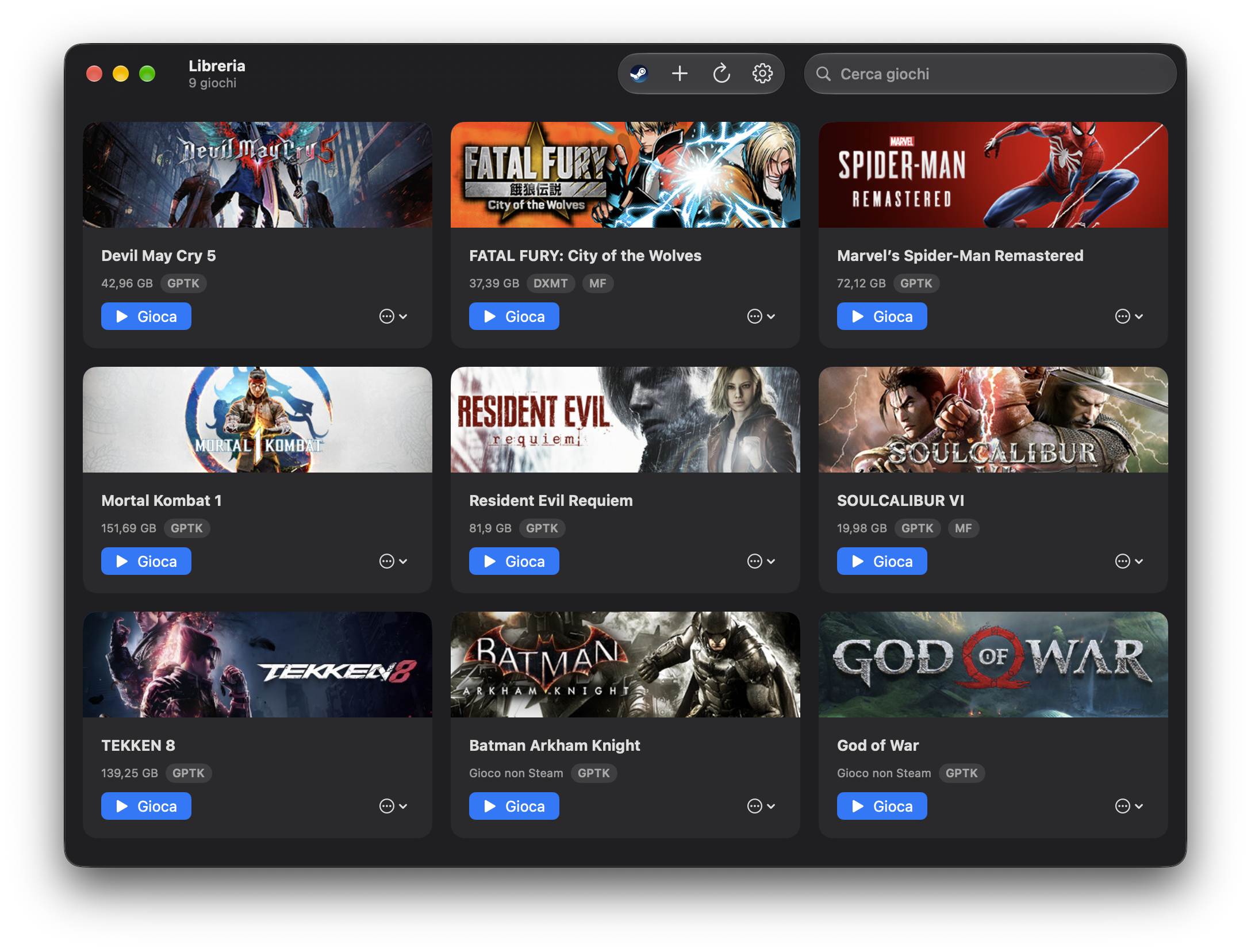
Silo discovers the games installed in its Steam bottle and launches each one on its backend — co-resident with a logged-in Steam client, so Steamworks and DRM titles run. No emulator, no fakery.
Open source · Windows Steam games on Apple Silicon
A native macOS launcher for your Windows Steam library — run games through Silo's own Wine, built from CrossOver's open sources, on Metal, with GPTK/D3DMetal or DXMT chosen per game and a real Steam client alongside so Steamworks and DRM just work.
Built for the Mac
Silo discovers the games installed in its Steam bottle and launches each one on its backend — co-resident with a logged-in Steam client, so Steamworks and DRM titles run. No emulator, no fakery.
Silo picks per game: GPTK / D3DMetal (Apple's) maps DirectX 10/11/12 to Metal; DXMT translates DirectX 10/11 directly — for 32-bit titles and when GPTK can't run a game. DirectX 9/8 and OpenGL use Wine's own renderer. Override per game anytime. No DXVK, no Homebrew.
Add any Windows .exe — an installer or a portable build —
and Silo provisions a dedicated, isolated Wine bottle for it, with the
same Automatic graphics backend as Steam games and its own launch options.
Run a Program… starts any installer or tool inside a game's bottle,
and every bottle can move to an external drive anytime.
Silo downloads a Wine built in this repo's CI from CrossOver's open (LGPL) sources, with CrossOver's GStreamer and the libav decoders that play in-game movies — SHA-256 verified. DXMT is built against it. Own CrossOver? Import its Wine from Settings instead.
Games whose cutscenes need Windows' Media Foundation run in a second Steam bottle with your own MF DLLs, switched per game, the Steam client following along. Save folders are shared between the two bottles, so progress never splits.
Each game gets its own name and the icon from its executable in the Dock, Mission Control and Stage Manager — through a small host Silo writes itself, no CodeWeavers code. One tile per game, closing when the game does, leftover Wine processes cleaned up.
Right-click any game → Create Shortcut for a double-clickable
launcher with the game's icon, on the Desktop or in
~/Applications/Silo/, where macOS lists it with your other
games. Bring your own icon with a PNG in Covers/.
SwiftUI in English and Italian, updating itself from GitHub Releases. It installs Rosetta when missing, waits for Steam to sign in before a game starts, surfaces a silent graphics fallback instead of a black window, and keeps the last five logs of every game.
How a launch works
Every Steam game launches co-resident with one logged-in client
in a single shared bottle — so Steamworks and DRM work — with the graphics
backend Silo picked (GPTK or DXMT) and its environment injected at launch.
Non-Steam .exes each get their own isolated bottle instead.
Parse the shared bottle's appmanifest_*.acf for installed games, skipping Steam's redistributables.
Pick GPTK or DXMT for the game (32-bit → DXMT, else GPTK), or honor your per-game override; a silent GPTK failure switches an Automatic game to DXMT next time.
Overlay the chosen backend (GPTK/D3DMetal or DXMT) into the runtime's own lib/wine, forced builtin so nothing can shadow it.
Wait for Steam to sign in, then spawn the game detached — co-resident with its Steam client for Steam titles, or in its own bottle for non-Steam .exes — inside a per-game .app that gives it its name and icon.
What runs, and how
Silo chooses automatically: GPTK / D3DMetal by default, DXMT for 32-bit titles and as the fallback for DirectX 10/11 games GPTK's device creation can't run. Wine's own stack covers DirectX 9 and OpenGL. Override the backend per game whenever you want.
Get Silo
Silo 0.7.1 runs on macOS 15 or newer on Apple Silicon, outside the App
Sandbox so it can drive Wine; it installs Rosetta itself if needed. You
bring Apple's Game Porting Toolkit .dmg, and one Set up
click does the rest. The app is ad-hoc signed, so the first launch needs
the Gatekeeper step shown in the README.